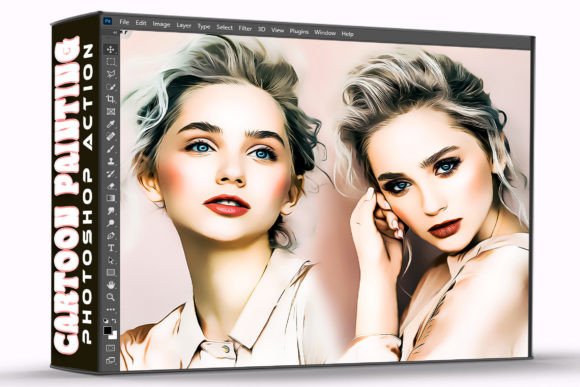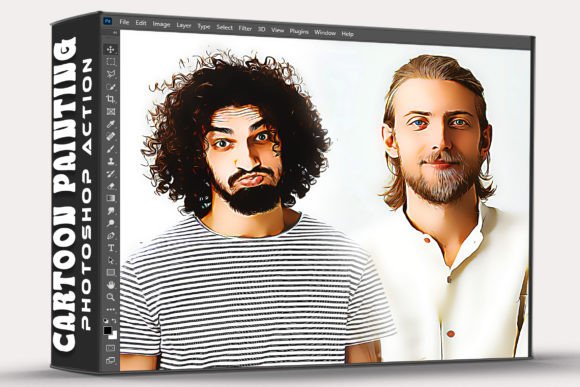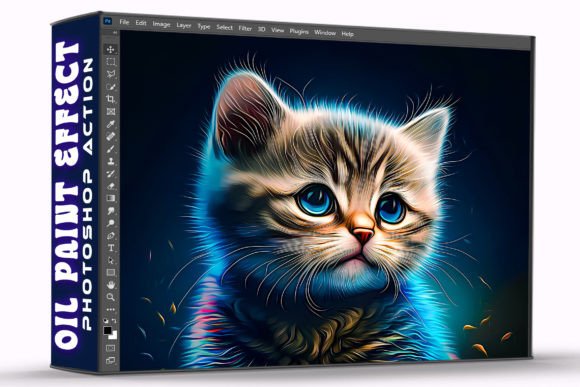
Oil Painting Effect Photoshop Action Guide
Transforming a standard digital photograph into a textured, painterly masterpiece typically requires hours of manual brushwork and advanced layer masking. For many creators, the technical barrier to achieving an authentic oil painting aesthetic is simply too high to justify the time investment. The Oil Painting Effect Photoshop Action bridges this gap by automating complex filter stacks and texture overlays into a single, executable workflow. This tool allows photographers, designers, and hobbyists to apply sophisticated artistic effects without needing to master traditional digital painting techniques. By streamlining the editing process, you can focus on creative direction and composition rather than pixel-level manipulation.
Streamlining Creative Workflows with Automation
The primary value of using an action file lies in efficiency. When you install the ATN file into Adobe Photoshop, you are essentially loading a pre-recorded sequence of commands that would take significant time to perform manually. Instead of adjusting blur radius, adding noise, applying canvas textures, and tweaking color balance individually, the action executes these steps in seconds. This speed is particularly valuable for professionals managing high volumes of imagery, such as social media managers or stock photographers who need to create cohesive visual themes across multiple assets.
Consider a freelance graphic designer working on a vintage-themed marketing campaign. Manually creating an oil paint effect for twenty different product shots could consume an entire workday. With this action, the same result is achievable in minutes, freeing up time for client communication, layout design, or other revenue-generating tasks. The "one-click" nature of the tool does not just save time; it reduces decision fatigue. You do not have to second-guess filter settings or worry about inconsistent results between images, as the action applies a standardized, professional-grade effect every time.
Elevating Visual Storytelling Through Texture
Digital photography often suffers from clinical sharpness that can feel sterile or overly modern. Adding an oil painting effect introduces organic imperfections, brushstroke directionality, and canvas grain that evoke emotion and nostalgia. This textural transformation changes how viewers perceive an image, shifting the focus from technical perfection to artistic expression. For bloggers and content creators, this distinction is crucial for stopping the scroll in crowded feeds where polished, generic stock photos are easily ignored.
The psychological impact of painterly aesthetics should not be underestimated. Images that resemble traditional art are often perceived as more authentic, thoughtful, and premium. A small business owner selling handmade goods might use this effect to align their product photography with the artisanal nature of their brand. Similarly, educators creating historical course materials can use the action to give modern reference photos an era-appropriate look, enhancing immersion without commissioning custom illustrations. The ability to generate these effects instantly means you can experiment with mood and tone during the editing phase, testing whether a painterly style better communicates your intended message than a standard photograph.
Practical Installation and Usage Workflow
Getting started with the Oil Painting Effect Photoshop Action is intentionally straightforward to accommodate users of varying skill levels. The pack includes the essential ATN file and a dedicated Help File to guide you through the setup. Understanding the correct installation procedure ensures the action functions as intended and prevents common errors related to panel visibility or missing dependencies.
- Download and Extract: Obtain the action pack and unzip the folder to a location you can easily access. Ensure you have both the .atn file and the documentation ready.
- Load the Action: Open Adobe Photoshop and navigate to Window > Actions to open the Actions panel. Click the menu icon in the top-right corner of the panel and select "Load Actions." Browse to your extracted .atn file and confirm.
- Prepare Your Image: Open the photo you wish to edit. It is best practice to work on a duplicate layer or a Smart Object to preserve your original file non-destructively.
- Execute the Effect: Select the specific oil painting action from the loaded set in the Actions panel and click the Play button. The software will run through the recorded steps automatically.
- Refine if Necessary: While the action provides a complete base, you may want to adjust opacity or add layer masks to blend the effect selectively based on your specific image composition.
This workflow highlights why the included Help File is a critical component. While the process is simple, having reference material ensures you understand best practices for image resolution and color modes, which can significantly affect the final output quality.
Ideal Use Cases for Digital Artists and Marketers
While the Oil Painting Effect Photoshop Action is versatile, it delivers exceptional value in specific contexts where artistic interpretation outweighs photographic realism. Understanding these scenarios helps you determine when to deploy this tool versus when to stick with traditional editing methods.
- Album Art and Music Promotion: Musicians and indie labels often seek visuals that stand out from typical studio photography. An oil paint effect can transform a band photo into iconic cover art that suggests genre and mood instantly.
- Fantasy and Gaming Content: Streamers, game developers, and fan artists frequently need promotional assets that mimic concept art styles. This action allows for rapid prototyping of visual assets without hiring a digital painter for every iteration.
- Editorial and Blog Headers: Writers covering topics like literature, history, or lifestyle benefit from featured images that feel illustrative rather than documentary. The effect adds a layer of sophistication that complements long-form text.
- Personalized Gifts and Prints: Photographers offering print services can upsell clients by providing stylized versions of family portraits or landscapes. The action enables quick turnaround times for these specialty products.
Navigating Limitations and Best Practices
To maintain credibility and achieve professional results, it is important to recognize that automated actions are starting points, not magic solutions. The Oil Painting Effect Photoshop Action works best with high-resolution images that have clear subjects and good lighting. Low-resolution files or images with excessive digital noise may produce muddy or unappealing artifacts when processed through heavy texture filters. Always evaluate your source material before applying the effect; a poorly composed photo will not become a masterpiece simply by adding brushstrokes.
Furthermore, while the "one-click" promise is accurate regarding application, professional refinement often requires additional steps. The action creates a uniform effect across the entire canvas, but realistic oil paintings typically have varied focus and texture density. Consider using layer masks to reduce the effect in background areas or enhance it in focal points. This selective application maintains the efficiency of the action while introducing the intentionality that separates amateur edits from professional work.
Users should also be mindful of licensing and usage rights if they plan to sell prints or use the edited images commercially. Ensure your source photos are properly licensed and that the action itself permits commercial derivative works. Reading the included Help File clarifies these terms and provides troubleshooting tips for edge cases, such as handling CMYK color spaces or batch processing multiple files.
Making Informed Editing Decisions
Incorporating the Oil Painting Effect Photoshop Action into your toolkit represents a strategic choice to expand your creative capabilities without expanding your learning curve. It serves as a force multiplier for those who understand the aesthetic they want to achieve but lack the specific technical skills to build it from scratch. However, it should complement, not replace, fundamental editing knowledge. The most successful users treat the action as a foundation upon which they build unique variations, adjusting blend modes, colors, and contrast to suit each individual project.
Ultimately, this pack provides everything needed to elevate everyday photos or game assets to a new level of visual interest. By combining the technical convenience of an ATN file with the artistic potential of oil painting simulation, you gain the flexibility to experiment freely. Whether you are looking to refresh your portfolio, streamline client deliverables, or simply explore new creative avenues, this action offers a practical, efficient pathway to distinctive imagery. The key to success lies in balancing automation with personal artistic judgment, ensuring that every edited photo retains your unique voice while benefiting from professional-grade processing.